
Loading KPRCAS Appraisal...

Fetching resources

KPRCAS Faculty Appraisal System
Submit Appraisal

Review Path Hierarchy

The appraisal process follows separate review paths based on role.

Faculty Workflow

Faculty Self-Appraisal

HOD Verification & Review

HOD Workflow

HOD Self-Appraisal

Dean Evaluation & Approval

Dean Workflow

Dean Self-Appraisal

Principal Review

Faculty Module

Faculty completes self-appraisal and submits it to HOD.
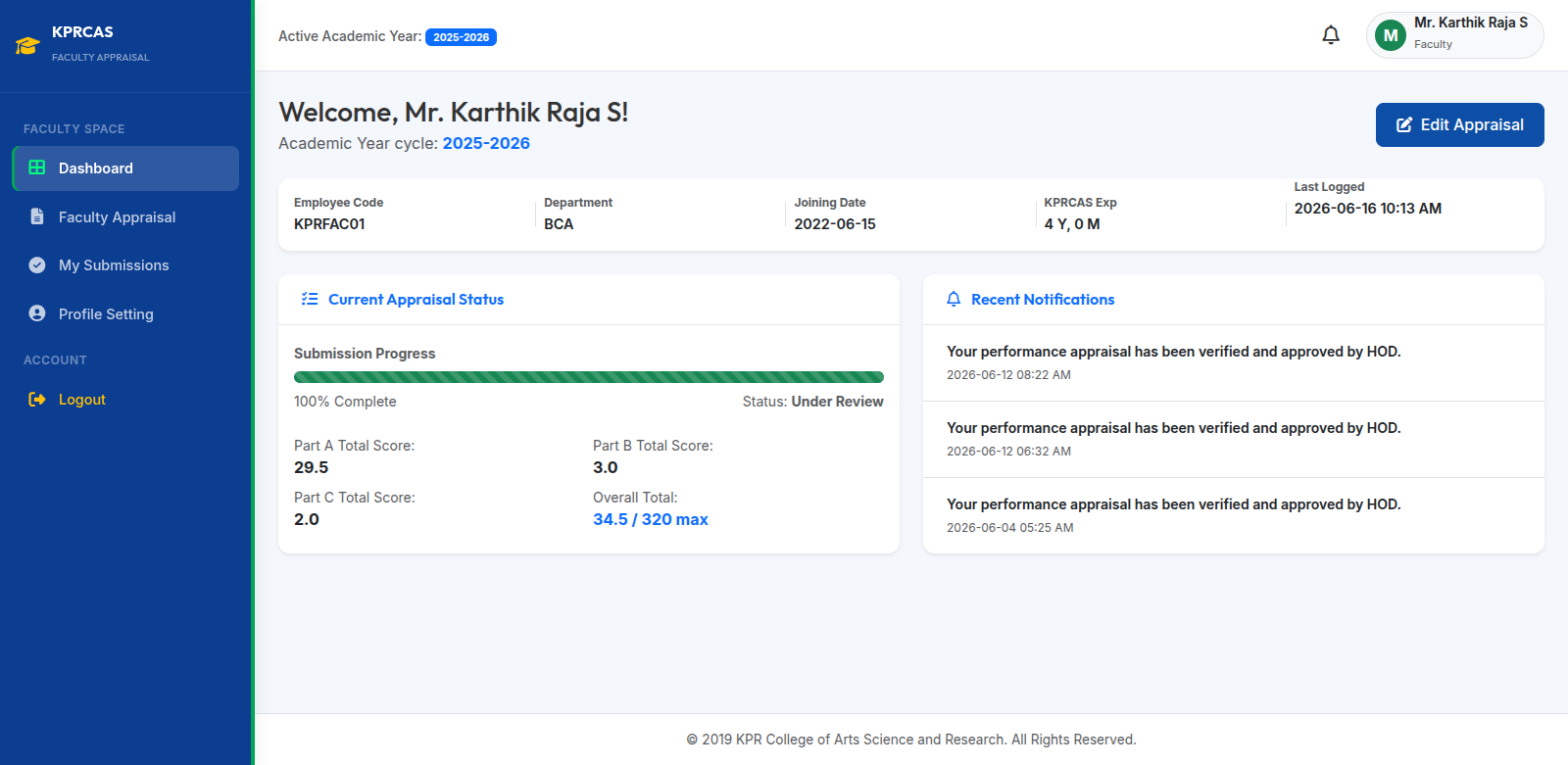
Faculty Dashboard

Displays employee details, appraisal status, notifications and total score summary.
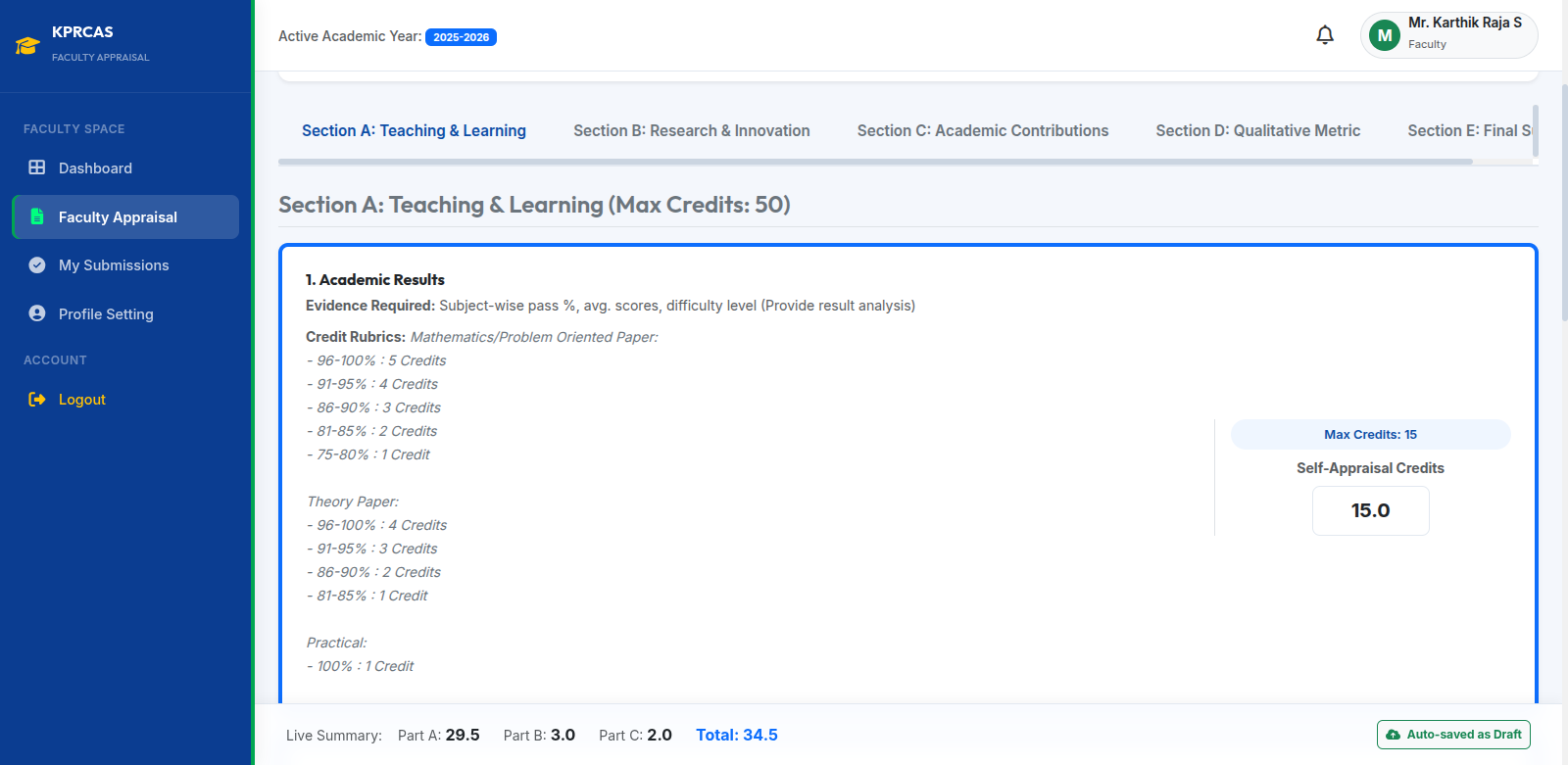
Faculty Appraisal Form

Faculty enters performance details under Sections A-E. You will calculate manually and enter the mark.
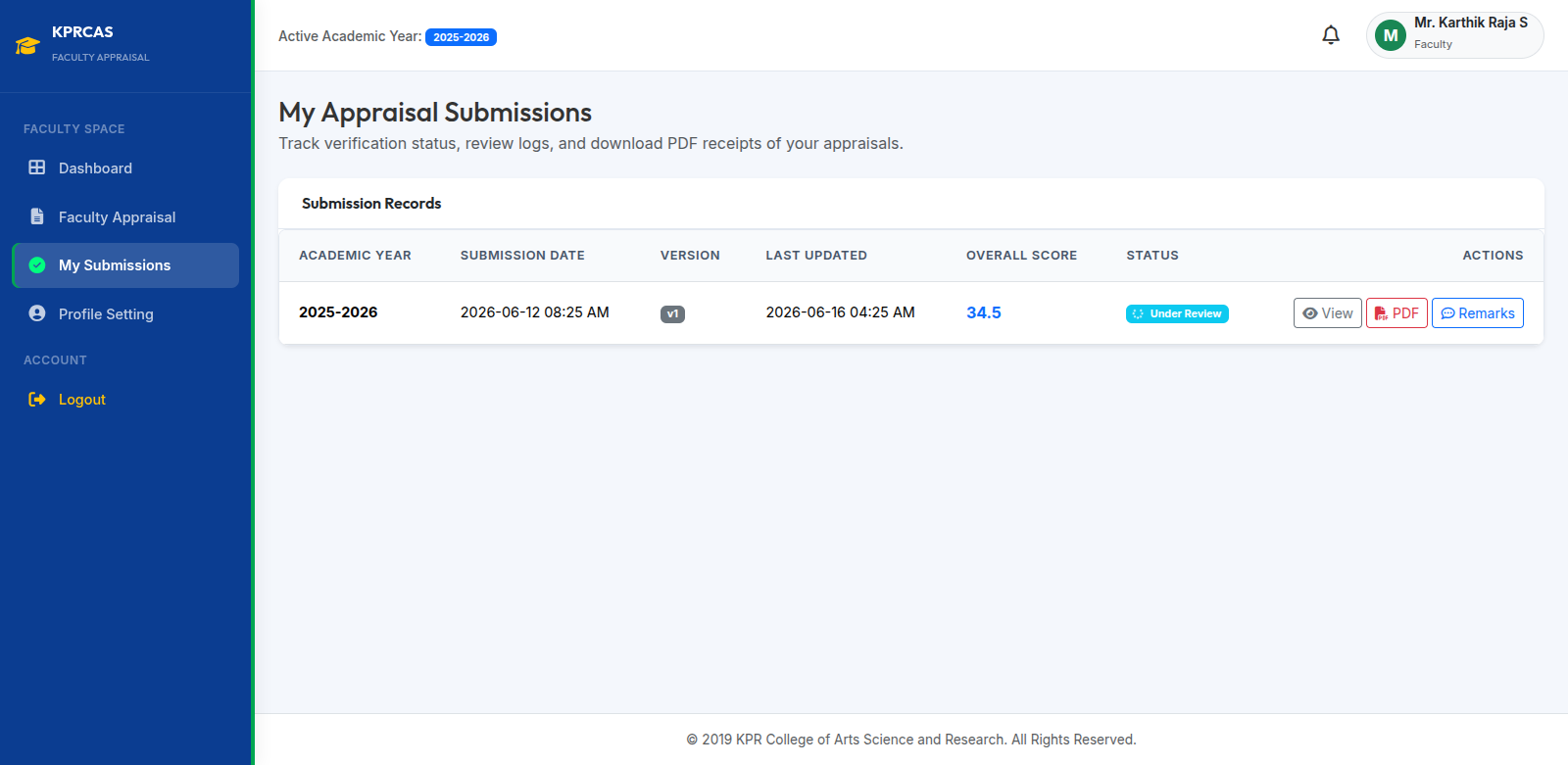
My Submissions

Track appraisal status, remarks and download PDF reports.

Faculty Workflow

  1. Faculty logs into the Faculty Appraisal Portal.
  2. Faculty completes Sections A - E and enters self-appraisal credits.
  3. Faculty manually calculates and enters the mark by their own.
  4. Faculty reviews the submission and clicks Submit.
  5. The appraisal is forwarded to the respective Department HOD for verification and review.
  6. Faculty can track submission status and download PDF receipts from My Submissions.

HOD Module

Review faculty appraisals and submit HOD appraisal.
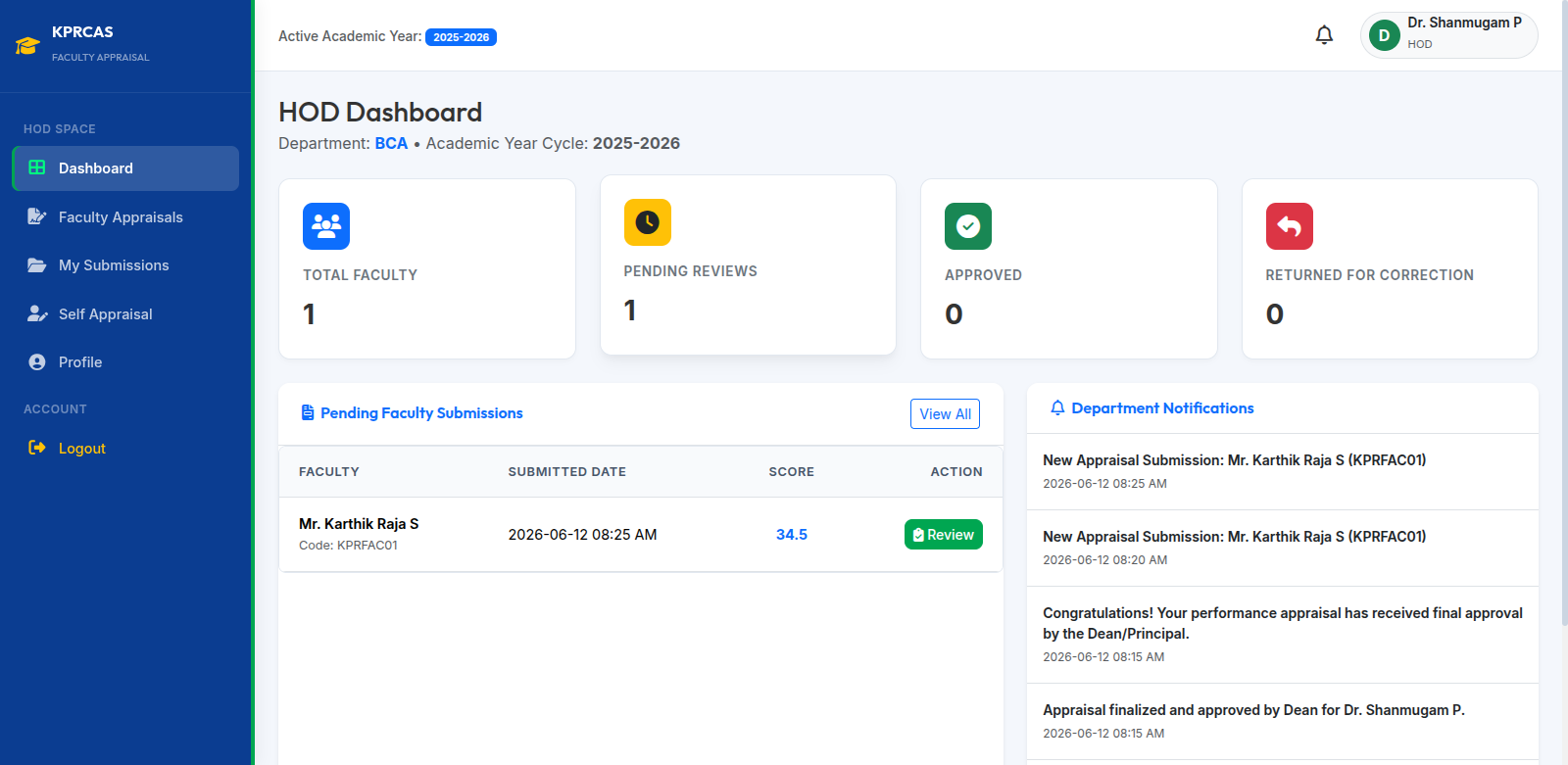
HOD Dashboard

Department overview, pending reviews and notifications.
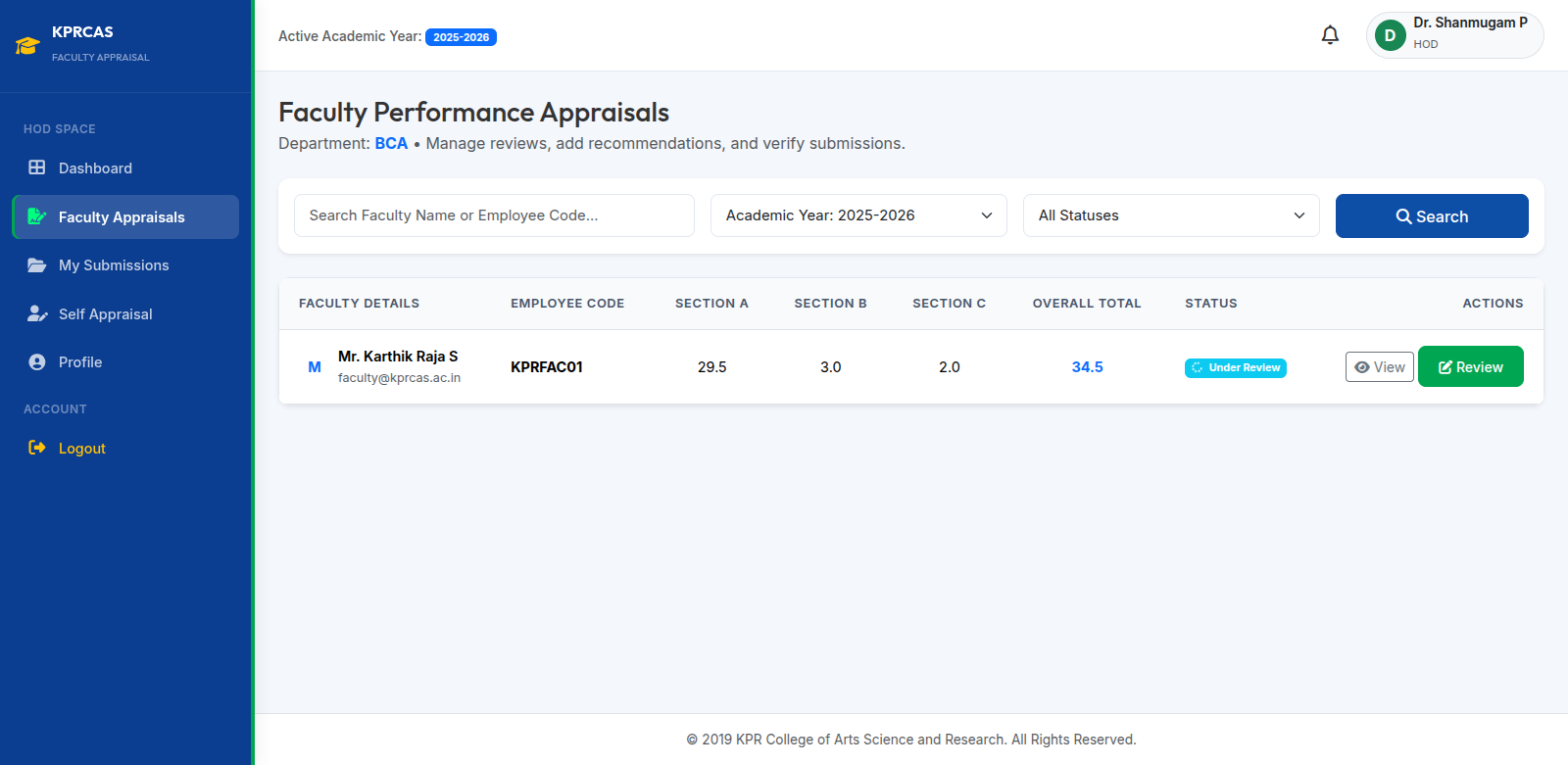
Faculty Reviews

Review faculty submissions and verify evidence.
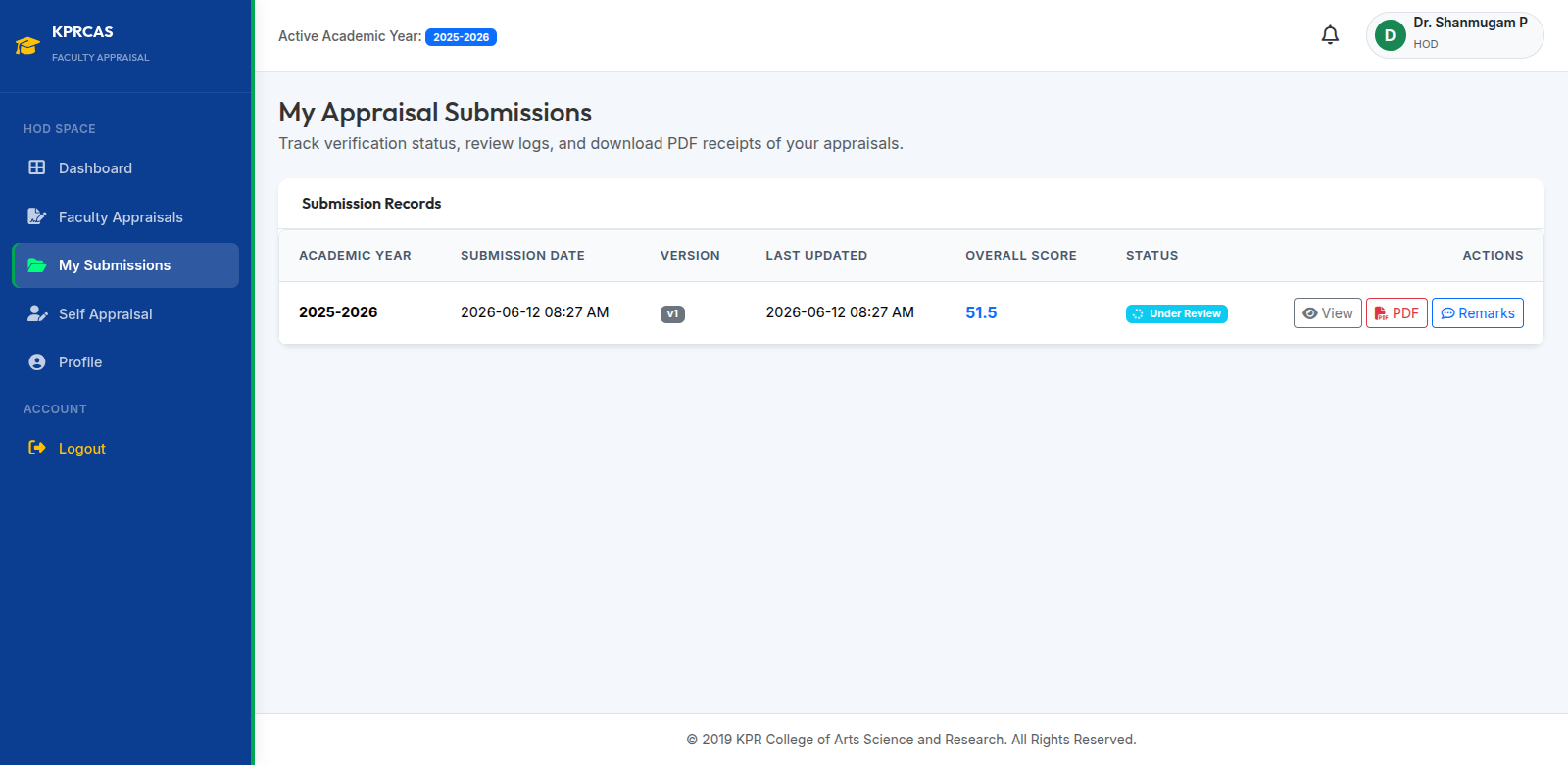
My Submissions

Track HOD appraisal progress and reports.
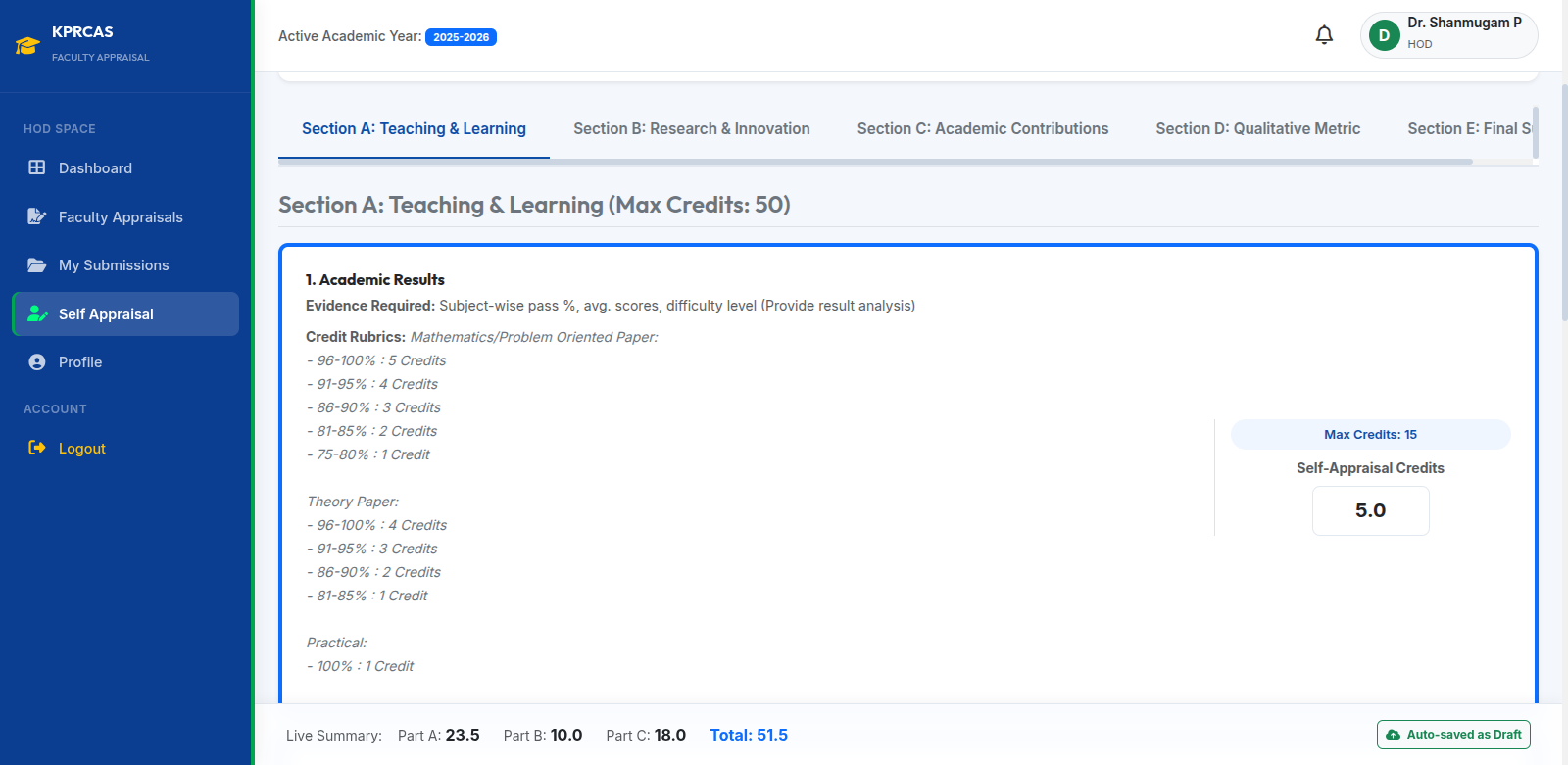
HOD Self-Appraisal

Complete appraisal and submit to Dean.

HOD Workflow

  1. HOD reviews appraisal submissions from faculty members in the department.
  2. HOD can view scores, verify evidence, and approve or return submissions for correction.
  3. HOD also completes and submits their own self-appraisal. HOD manually calculates and enters the mark by their own.
  4. After HOD submits their appraisal, it is forwarded to the respective School Dean for review.

Dean Module

Review HOD approved submissions and perform final evaluation.
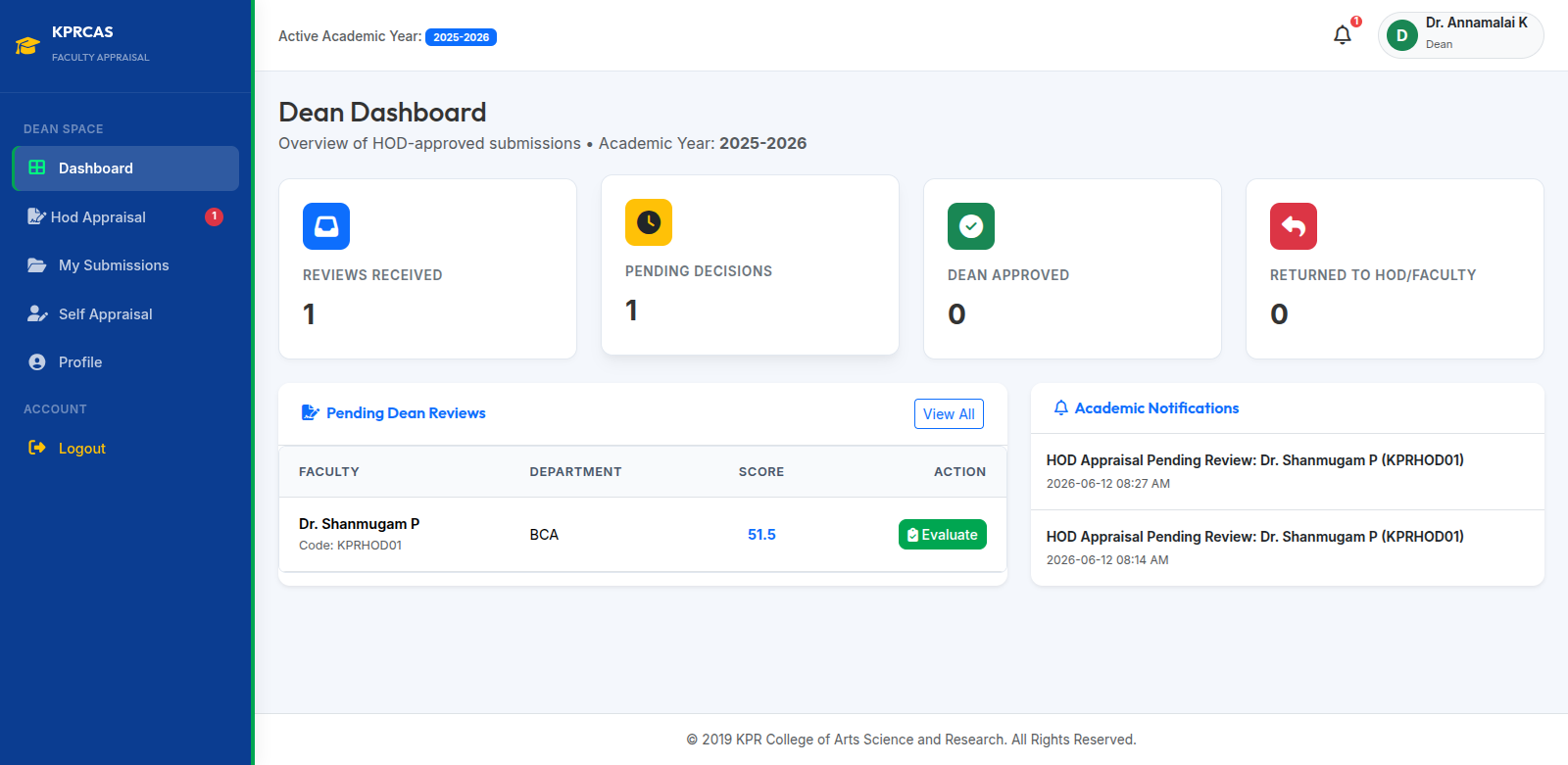
Dean Dashboard

View review statistics and pending approvals.
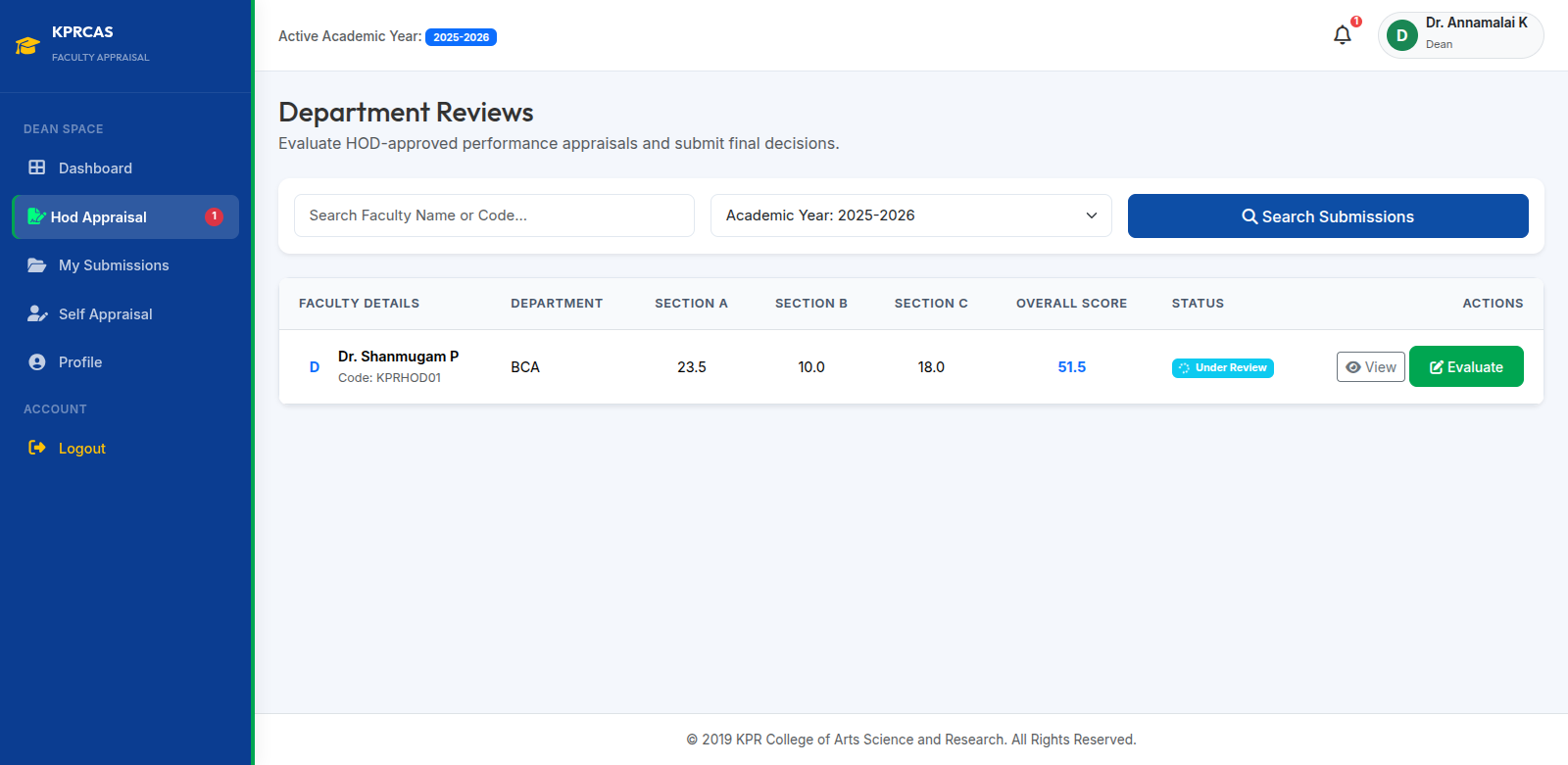
Department Reviews

HOD self-appraisals will show here for Dean to review and approve.
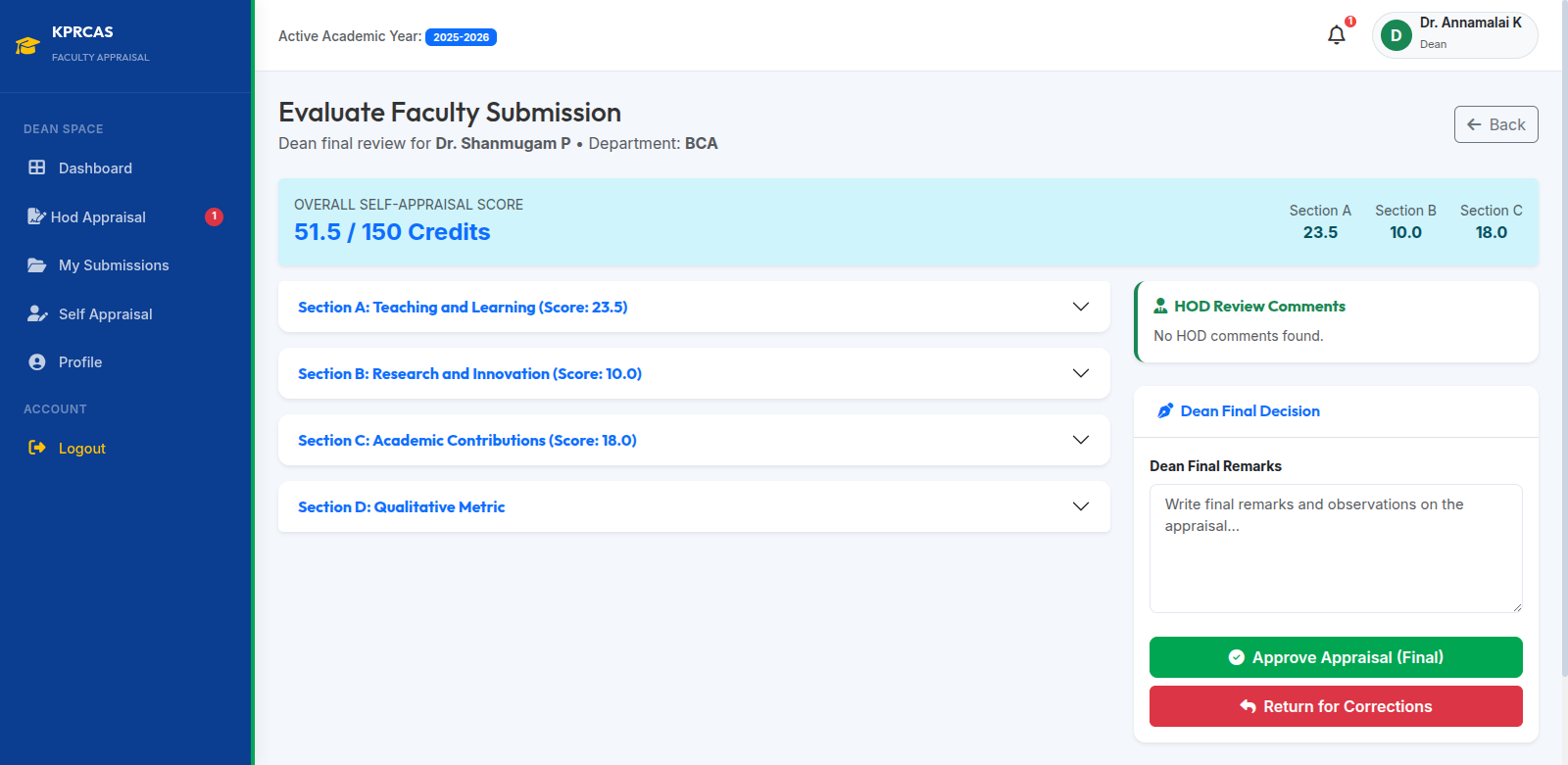
Evaluation Screen

Add remarks and approve or return submissions.
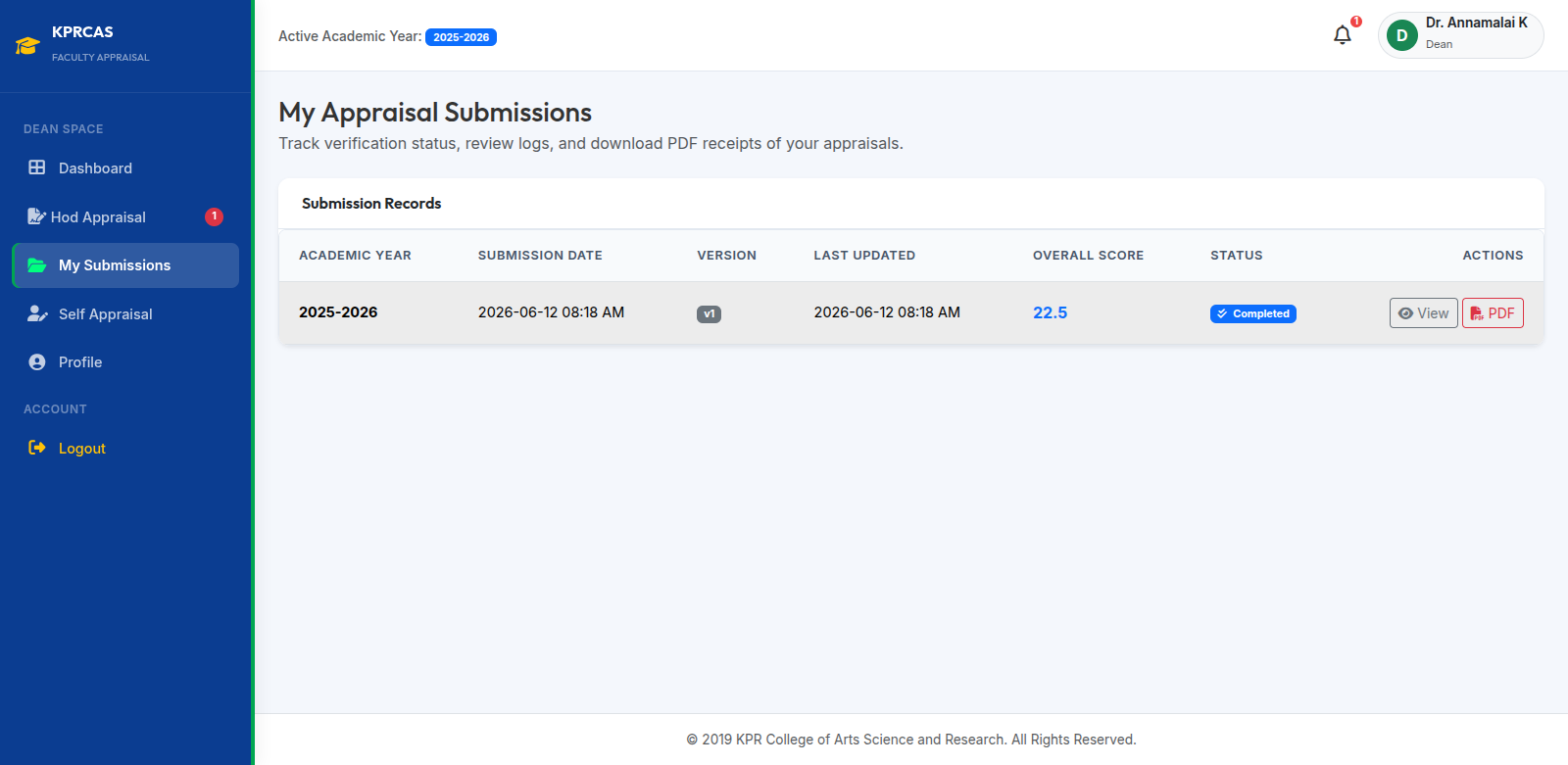
Dean Submission History

Track Dean appraisal submissions and reports.

Dean Workflow

  1. Dean reviews HOD-approved appraisals.
  2. Dean can evaluate submissions, add remarks, and approve or return them.
  3. Dean also completes and submits their own appraisal. Dean manually calculates and enters the mark by their own.
  4. Dean appraisal is forwarded to the Principal for final review and approval.
  5. Approved submissions are marked as completed and remain available in submission history.

Ready to Submit Your Appraisal?

Access the KPRCAS Faculty Appraisal Portal and submit your appraisal online.

Submit Appraisal